
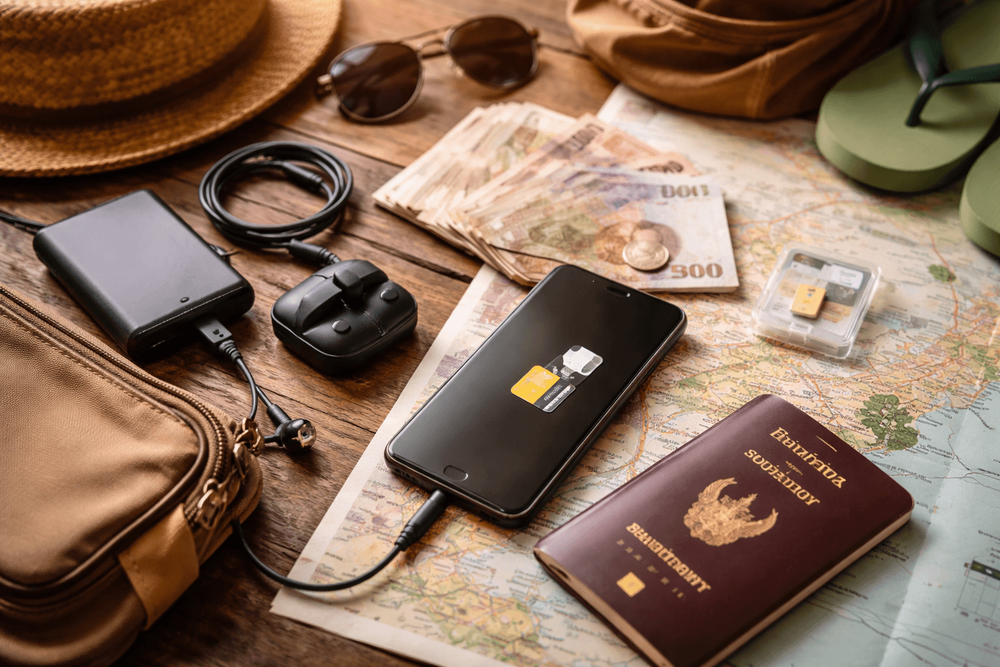
What to Pack for Thailand for Sim Card, Money, and Phone Setup: Staying Connected Without Overpacking
Your no-fuss Thailand phone setup packing list: SIM vs eSIM, money tips, activation steps, and the exact gear to stay connected without overpacking.
We step out of Don Mueang into that hot Bangkok soup—exhaust, durian sweetness, and jet fuel—and the first thing we reach for isn’t a Chang. It’s our phone. Without a tight Thailand phone setup packing list, you’ll be the farang at the airport fumbling with adapters while the S.22 Hotel clerk smiles politely and the tuk-tuk meter ticks in your head.
Data Freshness + Pricing:
- Prices are approximate and in THB.
- Last checked: July 2026.
- Happy hour and promo details change frequently—confirm locally.
Your Thailand Phone Setup Packing List
We’re keeping this lean and ruthless—the same way we dodge the worst of Khao San Road’s bucket bars by slipping down Swing Bar for a quieter Chang. Here’s what to bring so your phone, SIM, and money game is tight from touchdown.
Before You Fly: The Non-Negotiables
- Unlocked phone: Double-check your device is carrier-unlocked. If your phone is locked, airport SIM installs will fail and you’ll be stuck on slow, pricey roaming. If you can, bring a dual-SIM or eSIM-capable phone so you can keep your home number for 2FA while riding a Thai data plan.
- Passport and a photo of it: Thai SIM registration requires your passport. We also keep a clear scan in our cloud and offline on the phone.
- Charging gear: One fast USB-C wall charger (20–30W is a sweet spot), plus USB-C-to-C and USB-A-to-C cables. If you shoot lots of food pics on Phra Athit Road at golden hour, toss in a spare cable—Bangkok humidity and street grit can kill flimsy ones.
- Power bank: Airlines require these in carry-on only. A 10,000–20,000 mAh pack (approx. 800–1,500 THB in Bangkok) is perfect for a day of river ferries and BTS hops.
- Backup device plan: If your phone is your life, bring a tiny old unlocked handset or a lightweight dual-SIM backup. Even a basic device can hold a Thai SIM for calls and hotspots when your flagship overheats at Chatuchak.
- Waterproofing: Ziploc bags work in a pinch. We also carry a slim waterproof pouch for Songkran or a long-tail boat spray on the Chao Phraya.
- Surge-safe adapter: Thailand runs 220V. Most sockets take flat (US) or round (EU) two-prong plugs, but we still bring a universal plug just in case old guesthouses have quirky sockets.
If you want to go deeper on adapters and power banks, we keep a dedicated checklist here: Thailand Electronics Packing List: Adapters, Power Banks, and SIM Gear.
SIM vs eSIM in Thailand: What Actually Works
You’ll see AIS, TrueMove H (True), and dtac everywhere. Coverage in cities is excellent across all three; AIS usually wins in the sticks, True is strong in malls and dense urban pockets, and dtac holds steady value for casual users. 4G is the norm; 5G is common in Bangkok, Chiang Mai, Phuket, and Pattaya.
Tourist SIMs (Physical)
- Where: Airport kiosks, official shops, 7-Eleven/FamilyMart (they’ll often sell the pack and send you to a nearby shop for registration)
- Price: Approx. 149–599 THB depending on data volume and days (7–30). Airport kiosks often bundle extras and charge a small premium.
- Inclusions: Data bundle (often “unlimited” with a fair-use cap), local calls/texts, sometimes airport transfer coupons or streaming perks. Read the fine print—“unlimited” might drop to slower speeds after a threshold.
eSIMs (Thai Providers and Third-Party)
- Thai carriers offer eSIMs at shops and many airport counters. They’ll scan your passport and push the eSIM to your device.
- Third-party travel eSIMs exist and can be convenient to install before landing. Speeds vary by provider and network partners; we’ve had solid city performance, occasional rural slowdowns. If you’re planning island-hopping or trekking, Thai carrier eSIMs tend to be more predictable.
What to Check Before You Buy
- Device compatibility: Make sure your phone supports eSIM on Thai bands. If unsure, default to a physical SIM.
- Fair Use Policies: How much high-speed data before throttling? Look for plans with at least 30–50 GB if you stream.
- Hotspot/Tethering: Many plans allow it, but some tourist promos restrict. Confirm if you need to share data with a laptop.
- Coverage where you’re going: Bangkok, Chiang Mai, Phuket are a lock. For Khao Sok, Pai, Isan, or outer islands, AIS tends to shine, but check a recent coverage map at the shop.
We also break down charging and phone setup basics here if you’re comparing gear: What to Pack for Thailand for Phone, Power, and Connectivity: SIMs, Chargers, Adapters, and Backup Battery Basics.
How to Set Up a Thai Phone Plan After Arrival
The airport is the fastest lane. We usually knock this out before we smell our first pad kra pao.
Airport Kiosks (Suvarnabhumi and Don Mueang)
- Process: Hand over your passport, pick a plan, they pop in a SIM or provision an eSIM, and test data on the spot.
- Time: 5–10 minutes off-peak, up to 20–30 during late-night arrivals and holiday waves.
- Price: Approx. 299–599 THB for 7–15 days with big data; airport bundles run slightly higher than in-city shops but save you the headache.
Official Carrier Shops (City)
- Where: AIS/True/dtac stores in malls like MBK, Siam Center, Terminal 21, and in major neighborhoods (look around BTS Siam or Asok). Staff can troubleshoot APN settings and eSIM quirks.
- Price: Often a bit better than airport promos, more flexible top-up combos.
Convenience Stores (7-Eleven/FamilyMart)
- They’ll sell starter packs and top-ups. For registration, some branches can handle it; otherwise they’ll point you to a nearby telecom shop. Top-ups via cash at the counter are easy—just give the cashier your number and the amount (approx. 50–500 THB).
Required ID
- A physical passport is required for SIM registration. Photos alone won’t cut it for purchase, though we keep the scan for backups.
Common Activation Issues (and How We Fix Them)
- Phone is carrier-locked: No Thai SIM will work. Ask your home carrier to unlock before you fly.
- eSIM install fails: Ensure Wi‑Fi is on during activation. If it still fails, ask the shop to reprovision or switch to a physical SIM.
- No data after swap: Check APN settings in Cellular/Mobile Data options; the staff can set this in 30 seconds.
- Top-up not showing: Give it 5–10 minutes. If nothing, restart the phone, then ask the shop to check the number on the receipt.
- Can’t hotspot: Some tourist plans block or cap tethering. Return to the shop and switch plans or add a hotspot add‑on.
Money + Phone: Paying, Topping Up, and Staying Sane
Thailand is cash-friendly, card-accepting in malls/hotels, and increasingly QR-first with PromptPay. As travelers, we mix and match.
- ATMs: Most charge a foreign card fee (approx. 220–280 THB per withdrawal), plus your bank’s fee. Withdraw larger amounts less often to cut fees, and stash cash in separate places.
- Exchange booths: Competitive in central Bangkok (e.g., around Sukhumvit). Rates vary; airport booths are convenient but usually slightly worse.
- Cards: Visa/Mastercard widely accepted in malls and nicer restaurants; many street vendors are cash-only.
- Mobile QR: PromptPay rules Thailand, but foreign cards/wallets are hit-or-miss. Don’t bank on it unless your wallet explicitly supports Thai QR. When in doubt, carry small bills.
- Top-ups for your phone: Cash top-up at 7-Eleven is foolproof. Carrier apps are great too; just know they sometimes prefer Thai cards for promotions.
Pack This for Staying Connected on the Road
This is where the thailand phone setup packing list earns backpack space.
Cables and Chargers
- One primary fast charger (20–30W) and two cables: USB‑C‑to‑C and USB‑A‑to‑C. If you carry an iPhone, bring a Lightning cable plus a short USB‑C‑to‑Lightning. Street stalls off Khao San sell cables (approx. 60–200 THB), but quality varies—buy spares, not primaries.
- Multi-port charger: Great for couples or to juice phone + power bank overnight. Hotel rooms sometimes have just one workable outlet.
We’ve got more adapter specifics here: Thailand Backpacker Packing List for Electronics, Charging, and Power Adapters.
Waterproof + Heat Protection
- Dry pouch or zip bag for sudden downpours or Songkran (April). The splash from a khlong ferry will happily baptize your phone.
- Sun + heat hacks: Keep your device off dashboards, tuk-tuk seats, and direct sun. Heat throttling is real—slip into a 7‑Eleven for that righteous AC blast if your phone starts lagging.
Hotspot + Offline Maps
- Hotspot: Confirm your plan allows tethering. We hotspot a laptop to upload photos from a cafe on Phra Athit, then switch it off to save battery.
- Offline maps: Download Bangkok and your next city in Google Maps. Maps.me is a solid backup. Save landmarks—your guesthouse, the nearest BTS/MRT, and a hospital—so they render even if data dies.
Essential Apps We Actually Use
- Grab and Bolt: For rides when a taxi won’t use the meter. Bolt can be cheaper; Grab is more ubiquitous.
- LINE and WhatsApp: Many hosts and tour ops default to LINE; WhatsApp works fine with other travelers.
- Google Translate: Download Thai offline. Point your camera at menus in night markets and go wild.
- Carrier app: AIS/True/dtac app makes checking data and adding top-ups simple. Some promos require local cards; standard top-ups work with cash codes.
- Banking: Your home bank app for card freezes and alerts. If you use a travel card, enable overseas use before takeoff.
We also keep a lightweight checklist dedicated to on-the-road charging and backup gear: What to Pack for Thailand for SIM Card, Connectivity, and Charging on the Road.
Setting Up Step-by-Step: Our First 24 Hours Flow
- Airport: Grab a Thai SIM/eSIM (approx. 299–599 THB depending on days/data). Test data on the spot.
- Ride in: On the taxi or Airport Rail Link, download offline maps for Bangkok and your next stop.
- Lodging check-in: Join Wi‑Fi, update apps, back up photos to cloud while you’ve got stable speeds.
- Neighborhood walk: Pop into 7‑Eleven for a 100–300 THB top-up voucher just to have it. Pick up a cheap cable or spare if you forgot.
- Next day: Carrier app install to monitor data; set data-roaming rules (Thai eSIM on, home SIM data off). Screenshot your Thai number.
Common Phone Setup Mistakes (And How We Dodge Them)
- Accidental roaming charges: On dual-SIM iPhones and Androids, set your Thai SIM as the only data line. Keep your home SIM for SMS/calls only with data toggled off.
- Losing your number: When swapping SIMs, some mess up their home SIM’s orientation or tray order. Label your tray and take a photo before you pull it.
- Data gone by Day 3: Video calls on mobile data chew through plans. Switch to Wi‑Fi for long calls and cloud backups. If you routinely burn 10+ GB/week, buy a bigger bundle from the start.
- No backup maps: We’ve watched people on Soi Rambuttri staring at spinning wheels in a rain squall. Download offline maps before beer o’clock.
- Overheating: The Bangkok sun is brutal. Shade your phone, kill background navigation when you’re not moving, and don’t wireless-charge in direct heat.
- Dead phone at the wrong time: Carry a power bank and a short cable in your daypack. Top up during lunch while the wok sizzles.
- Sketchy cables: Cheap ones can fry ports. Use market cables as backups, not daily drivers.
- SIM registration snafu: Keep your passport handy, and take a photo of the SIM packaging + receipt with your new number.
- Island coverage shock: On outer islands (think quieter corners of Koh Lanta or Koh Chang), signal dips. AIS typically fares best; consider a second SIM if you’re working remote.
Extra Notes for Digital Nomads and Content Fiends
- 5G vs 4G: In central Bangkok (Siam, Asok, Sathorn) and Chiang Mai’s Nimman, 5G is fast enough for uploads and lives. In rural zones, expect 4G/3G handoffs—plan your big syncs for cafe Wi‑Fi.
- Hotspot etiquette: Some cafes throttle hotspots; ask, or be discreet. Buy something every hour—sanuk is sharing the space.
- Cloud backups: Do them nightly on Wi‑Fi at your guesthouse. Never trust only local storage in monsoon season.
- eSIM juggling: If you bounce in/out of Thailand, keeping a Thai eSIM profile on your phone saves time on future trips—just top up on arrival.
Know Before You Go
- Voltage: 220V, 50Hz. Modern sockets accept both round and flat two-prong plugs; grounded three-prong can be hit-or-miss.
- Safety + scams: Stick to official carrier counters at airports/malls. If a street stall offers a miracle “unlimited for a month” at a too‑good price, smile and keep walking.
- Receipts: Keep the SIM pack and receipt photo in your cloud. Handy if you need support later.
- Language: Staff at major shops speak English; smaller 7‑Elevens may not. A little “sawadee krub/ka” and a smile go far.
For an even deeper dive into charging quirks and backup power, you can cross-check with our gear-first list: Backpacker Packing List for Thailand: Electronics, Power, and Charging Adapters.
Mpow Waterproof Phone Pouch, 2 Pack
If we’re not grabbing mango sticky rice off a cart by the Golden Mount, we’re usually on the Chao Phraya Tourist Boat ICONSIAM Pier, phone dry and topped up, hopping off at Chao Phraya Tourist Boat N13 Phra Arthit Pier to chase the next bowl of boat noodles. Pack smart, get your Thai number sorted on arrival, and the whole city opens up—rides, maps, messages, and that late-night pad thai on Soi Rambuttri when the bass from Khao San thumps just right.
Related Hotels & Places
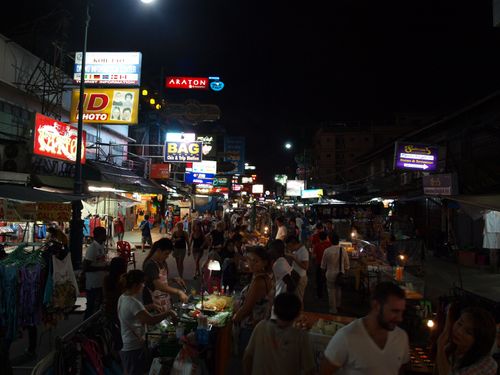
Khao San Road
Attractions
Bangkok’s backpacker carnival: curbside bars, live bands and DJs from 3pm–2am (midnight Sun). Street eats are cheap — pad thai 70–100 THB, mango sticky rice 60–100 THB. Come for wild people-watching; duck into Rambuttri for a calmer beer.
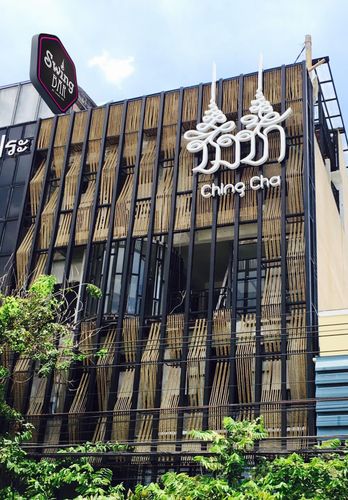
Swing Bar
Bars
Rooftop bar by the Giant Swing.

Chao Phraya Tourist Boat N13 Phra Arthit Pier
Services
Khao San's river gateway. N13 Phra Arthit is the Chao Phraya Tourist Boat stop: grab a day pass and hop to Wat Arun, the Grand Palace and Sathorn. Boats every ~30 mins; last around 7:15pm. The scenic, no-traffic way to get around.
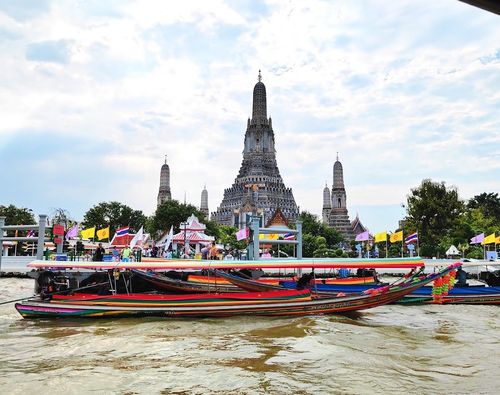
Chao Phraya Tourist Boat ICONSIAM Pier
Services
Hop on the blue‑flag tourist boat at ICONSIAM to cruise Wat Arun, Wat Pho, the Grand Palace and Chinatown. Day pass ~150 THB, boats every ~30 mins, last runs around 7:15pm. Easiest river launchpad via BTS Gold Line to Charoen Nakhon.

S.22 Hotel
Hotels
At S.22 Hotel, exceptional service and top-notch amenities create a memorable experience for guests.
7-Eleven
Shops
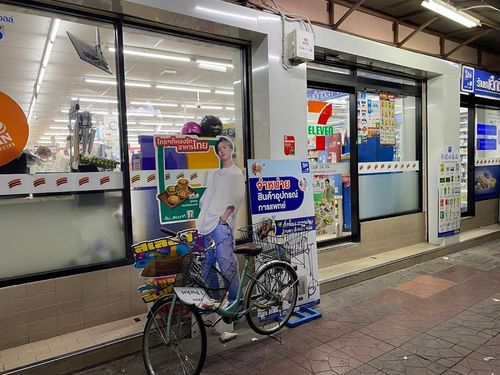
Khao San’s 24/7 reset button: ice‑cold A/C, ham‑cheese toasties, All Café iced lattes, water for 7–14 THB, and late‑night supplies from snacks to sunscreen—right by Rikka Inn.
Recommended Products
More Khao San Road Guides
- What to Pack for Thailand for Phone-Heavy Travelers: SIMs, Chargers, and Power Bank Setup
- Backpacker Packing List for Thailand’s Sim Card, Cashless Payment, and Connectivity Setup: What to Bring for Staying Online
- What to Pack for Thailand for Thai SIM Cards, eSIMs, and Mobile Connectivity: Power, Storage, and Backup Essentials
- What to Pack for Thailand for SIM Card, Connectivity, and Charging on the Road