
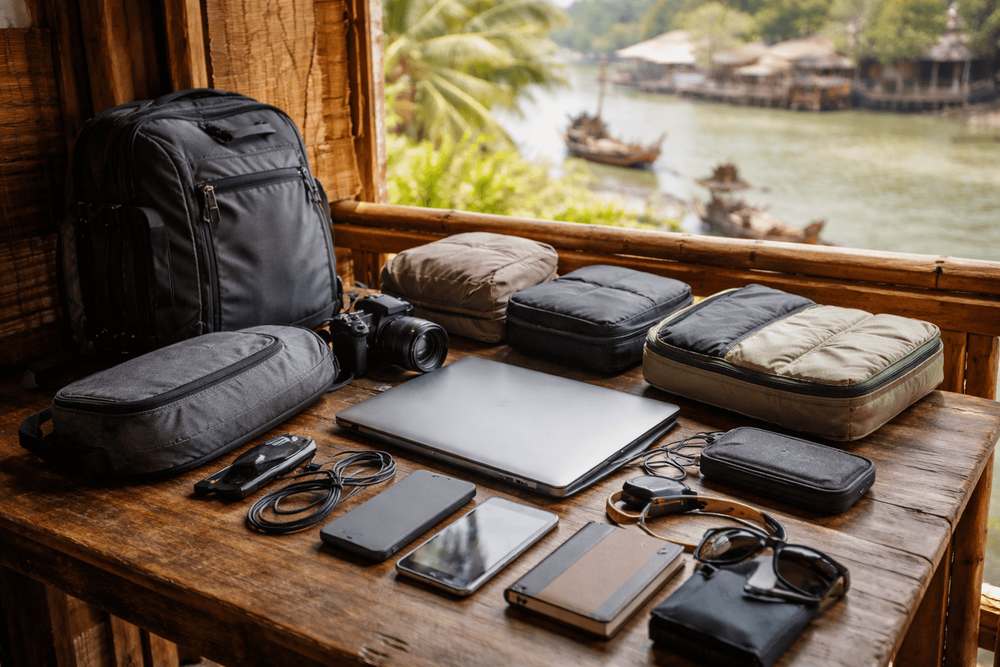
What to Pack for Thailand Backpacking with a Laptop: Work, Storage, and Theft-Resistant Setup
The Thailand laptop packing list that keeps your kit light, safe, and storm‑ready: chargers, adapters, backups, SIMs, and street‑smart tips from Khao San to the islands.
The wok hisses on Soi Rambuttri, the tuk-tuks growl at the curb, and we duck into a 7-Eleven for that blessed wall of AC before heading back to our guesthouse off Khao San Road. We’re not here to be full-on digital nomads—this trip is sanuk first, spreadsheets second—but we still crack open the laptop to back up photos, book tomorrow’s Chao Phraya Tourist Boat ICONSIAM Pier, and file the odd email. If that’s you, this Thailand laptop packing list keeps your kit light, safe, and ready for the chaos, heat, and occasional monsoon splash.
Data Freshness + Pricing:
- Prices are approximate and in THB.
- Last checked: July 2026
- Happy hour and promo details change frequently—confirm locally.
The Thailand Laptop Packing List: Essentials
We don’t overpack gadgets; we pack the ones that pull their weight from Khao San to Chiang Mai. Here’s the core setup that works across Bangkok’s malls, island ferries, night buses, and café hunts.
Laptop and protection
- Lightweight laptop (13–14" ultrabook): Enough power for photo edits and trip planning without the brick weight. If you’re not video-editing, skip gaming rigs. Keep it under ~1.4 kg.
- Padded sleeve + slim daypack: We like a snug neoprene sleeve inside a low-profile daypack—nothing that screams “expensive tech.” Rain shell over the bag during storms is a must.
- Roll-top dry bag (5–10L): When a khlong overflows or a long-tail boat sprays you between Tha Tien and Phra Athit, you’ll be glad. Approx 150–300 THB on Khao San.
- Microfiber cloth + mini brush: For grit and noodle-sauce fingerprints.
Power: chargers, adapters, and cables
Thailand runs 220–240V, 50Hz. Outlets often fit Type A (two flat), Type C (two round), and the Thai three-prong Type O—but many walls are two‑prong only.
- GaN USB‑C charger (65–100W, multi‑port): One brick to fast‑charge laptop + phone. Approx 600–1,200 THB.
- Universal travel adapter with ground: Look for a model that supports a grounded plug if your laptop brick has three prongs. Approx 250–600 THB.
- Short, durable cables: USB‑C to USB‑C, USB‑C to Lightning (if needed), and one USB‑A backup. Velcro cable ties help.
- Compact surge‑protected power strip: Brownouts and surges happen. A tiny 3‑outlet strip with USB can save your devices. Approx 300–800 THB.
- Power bank (10,000–20,000 mAh): Enough for a laptop sip and multiple phone charges on sleeper trains. Flights allow power banks up to 100Wh in carry‑on only. Approx 400–1,000 THB.
For more detail on power and plugs, see our focused checklist: Thailand Backpacker Packing List for Electronics, Charging, and Power Adapters.
Storage and transfers
- External SSD (1–2TB): Shock‑resistant, fast backups of photos and docs. Approx 1,800–3,500 THB depending on size.
- Dual-slot SD/microSD reader (USB‑C): Many ultrabooks dropped card slots. Approx 250–600 THB.
- Slim USB‑C hub: One with HDMI, USB‑A, and SD is plenty. Approx 500–1,200 THB.
Security and peace of mind
- Kensington‑style laptop lock + thin cable: Useful in dorms with sturdy bunk frames or café tables. Approx 700–1,200 THB.
- Discreet AirTag/Tile: Hide one in your sleeve or bag for tracking. Approx 900–1,200 THB each.
- Simple combo padlock: For hostel lockers.
Comfort and ergonomics
- Folding laptop stand: Keeps fans breathing in Bangkok’s heat and your neck happier. Featherweight models are ~150–350 g. Approx 300–900 THB.
- Lightweight mouse + in‑ear noise‑canceling buds: Over‑ears are sweaty outdoors; in‑ears handle BTS rumble better. Buds from 1,200–4,500 THB.
Where to buy or replace in Bangkok
- Fortune Town IT Mall (MRT Phra Ram 9): Reliable for chargers, SSDs, and repairs.
- MBK Center (National Stadium BTS): A maze, but good for cases, cables, and budget accessories.
- Big-box chains (PowerBuy, Studio 7) in CentralWorld/ICONSIAM: Official stock, slightly pricier.
Heat, Humidity, and Hauling: Protecting Your Laptop in Thailand
Bangkok’s air can taste like grilled pork one minute and rain‑slick exhaust the next. Your laptop feels it too.
Heat and humidity hacks
- Ventilation matters: Don’t work on a mattress with no airflow; prop the back edge or use a stand. AC rooms are gold, but avoid blasting cold air straight onto a hot machine—let temps normalize before shutting down.
- Dry the bag: After rain, unzip the sleeve overnight. Toss in silica gel packs. Mold loves soggy corners.
- Shade over speed: If you must pull out the laptop outdoors—say, by the Golden Mount steps for a quick route check—do it in shade and for minutes, not hours.
Rain and river realities
- Sudden storms: Keep a packable poncho (approx 30–50 THB at 7‑Eleven) and a dry bag liner. Even covered ferries on the Chao Phraya can spray.
- Boats and beaches: Salt + sand are brutal. Wrap the sleeve in a dry bag on ferries to Koh Tao or Railay long-tails.
Transport choices
- BTS/MRT: Smoothest rides for electronics. Many stations now accept contactless bank cards—tap in, no Rabbit top‑up hunt required.
- Taxis/Grab/Bolt: Safer for gear late at night than weaving on a motorbike taxi. Keep the daypack on your lap.
- Buses and songthaews: Dusty and crowded. Zip the sleeve and keep it in front of you.
- Overnight trains: Use top‑bunk mesh or a cable to secure the bag. Keep SSD and passport on you.
Security, Backups, and Realistic Risk Management
Thailand is generally friendly, but Khao San at 2 AM can be sloppier than your lock screen. We aim for deterrence, not paranoia.
Anti‑theft basics
- Low‑profile bag: No flashy brands, no dangling camera straps. Keep zips facing your chest in markets.
- Hostels and guesthouses: Use the locker. If none, cable‑lock the laptop inside your pack to fixed furniture and carry the SSD with you.
- Café etiquette: In busy spots on Phra Athit Road, use a cable lock or take the laptop to the toilet. Don’t rely on a stranger to “watch your stuff.”
Digital defenses
- Full‑disk encryption: FileVault or BitLocker, always on. If the machine walks, your data doesn’t.
- Password manager + 2FA: Authenticator app over SMS when possible.
- Cloud backups: iCloud/Google Drive/OneDrive/Backblaze—set to back up Desktop/Documents or project folders on Wi‑Fi. Do a full seed backup before you fly.
- Two‑location rule: Keep one offline backup (SSD) separate from the laptop whenever possible—bag on you, laptop in locker, or vice versa.
- Remote tracking/wipe: Enable Find My/Find Device and note serial numbers in a cloud note.
Insurance and proof
- Travel insurance with electronics cover: Check item caps, depreciation, and theft‑from‑unattended‑vehicle exclusions.
- Proof of purchase: Keep PDFs of receipts in the cloud. Photos of serial numbers help with Thai police reports if you need one.
Connectivity and Productivity in Thailand
We love a breezy café on Soi Samsen or a mall food court with industrial AC. Either way, the lifeline is your SIM.
SIMs and data
- eSIM at the airport: AIS, TrueMove H, and dtac kiosks at Suvarnabhumi and Don Mueang can set you up in minutes. Expect approx 200–400 THB for 30‑day 100GB, or 300–600 THB for “unlimited” fair‑use plans.
- Hotspot friendly: Tethering usually works. Great backup when café Wi‑Fi is a potato.
- Topping up: 7‑Eleven staff can help; or use carrier apps and cash.
Wi‑Fi culture
- Cafés and coworking: Buy a drink (60–120 THB) and ask for Wi‑Fi. Outlets can be scarce; a short splitter earns friends. Coworking day passes range approx 300–600 THB in central Bangkok.
- Speed reality: Downtown fiber is fast; islands can wobble. Run a quick speed test before large uploads.
VPN and online access
- Use a reputable VPN on public Wi‑Fi—especially in hostels and malls. It also helps with banking and streaming region quirks. Monthly subs vary, approx 100–300 THB/month equivalent.
Handy apps
- Grab/Bolt for rides; Bangkok MRT/BTS apps for service updates; Google Translate with Thai script camera; Wise/Revolut for fees; Line for messaging locals; Shopee/Lazada for emergency cables to your guesthouse.
- Offline tools: Download Google Maps offline for Bangkok and island towns; keep PDF copies of passports and bookings.
If you’re building a broader kit beyond the laptop, dip into our main checklist: Backpacker Packing List for Thailand. And if you’re blending work and travel more than most backpackers, see our organization tips in What to Pack for Thailand for a Work-and-Travel Backpacking Trip: Laptop, Chargers, and Everyday Organization.
Pack Light, Choose Right: Trip-Type Loadouts
Your thailand laptop packing list shifts with the trip. Here’s how we trim or beef up.
1–2 week fast trip (Bangkok + one island)
- Bring: 13–14" laptop, sleeve, GaN charger, universal adapter, 10k–20k mAh power bank, 1TB SSD, SD reader, 1–2 short cables, microfiber, dry bag.
- Skip: Bulky mouse, heavy stand (use a thin foldable), extra hubs.
- Why: You’ll be moving—BTS to boats—so every gram counts.
Classic backpacker month (temples, north, and beaches)
- Bring: All of the above plus a slim USB‑C hub with HDMI, cable lock, folding stand, in‑ear ANC buds.
- Add: Spare cable and tiny surge strip for guesthouse rooms with a single tired outlet.
- Tip: Put SSD backups on a different schedule from cloud—one daily, one every few days—to catch accidental deletions.
Content‑leaning traveler (photo/video, not full nomad)
- Bring: 14" performance ultrabook, 2TB SSD x2 (one off‑site), dual‑slot reader, faster GaN charger (100W), extra battery bank, lightweight tripod alternative (clip/mini), and a second set of silica packs.
- Reality check: Editing 4K in Krabi humidity isn’t as romantic as Instagram suggests. Prioritize airflow and shade.
Rainy‑season priorities (May–Oct variable; Sep–Oct in the Gulf)
- Double down on waterproofing—dry bag, poncho, Ziplocs for docs.
- Keep the laptop in the room during midday squalls; rely on phone + data for nav.
What to leave at home
- Heavy gaming laptops: Not worth the sweat unless that’s the purpose of your trip.
- Bulky mechanical keyboards: Café tables are small; your neighbors will hate you.
- Spare laptop: Redundant weight. Use cloud + SSD redundancy instead.
Know Before You Go: Practicalities We’ve Learned the Sweaty Way
- Airport security: Laptops and power banks must go in carry‑on. Power banks under 100Wh only; keep the Wh rating visible.
- Device care ritual: After any rain ride or boat trip, open the sleeve to air‑dry. Wipe ports before charging.
- Room storage: Don’t advertise gear. Close curtains facing corridors; keep the laptop off ground level where mop water and ants wander.
- Café power etiquette: If you need the only outlet at a packed spot on Phra Athit, share via a splitter and buy an extra drink. You’ll make friends fast.
- Repairs: Fortune Town and brand service centers can handle swollen batteries, fried chargers, and screen swaps. Prices vary; a third‑party charger is often faster and cheaper (approx 600–1,200 THB) if you’re in a pinch.
- Scams and vibes: Anyone insisting on “police fee” for using your laptop on a public bench is talking nonsense. Smile, sawadee, and walk.
Sample Day in Bangkok With the Laptop (How We Actually Roll)
Morning: We plan the day over iced o‑liang on Soi Rambuttri. Laptop stays in the room while we hit the Golden Mount for views and glide down to the river.
Afternoon: Chao Phraya Express boat to Tha Chang, quick backups on SSD in a café where the AC breathes like a dragon, then we tether off a local SIM to upload a few shots.
Night: We keep the bag light for dinner and a wander—the thump from a Khao San bar is better enjoyed hands‑free. The laptop chills cable‑locked in the room; SSD in our pocket, just in case.
Amazon Basics Portable RFID Blocking Travel Passport Wallet
Pack for that rhythm and your thailand laptop packing list won’t feel like an anchor. If you see us on Phra Athit Road after sundown—sweaty, happy, and finally caught up on backups—say hi and we’ll point you to the best late‑night boat noodles within stumbling distance.
Related places
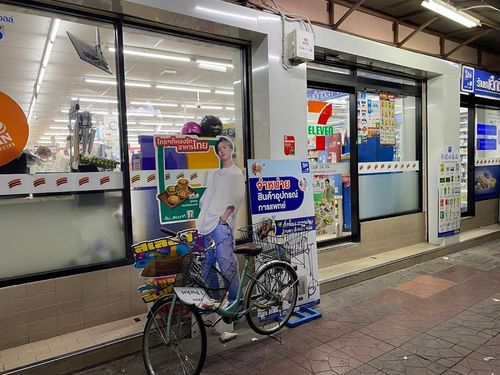
7-Eleven
Shops
Khao San’s 24/7 reset button: ice‑cold A/C, ham‑cheese toasties, All Café iced lattes, water for 7–14 THB, and late‑night supplies from snacks to sunscreen—right by Rikka Inn.
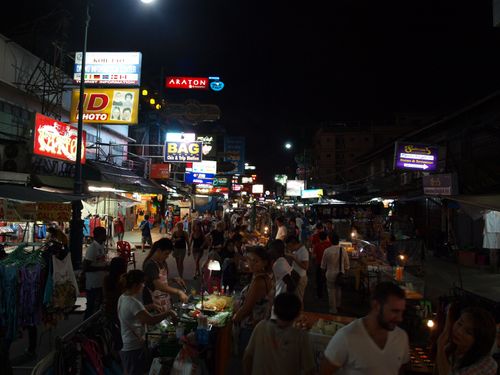
Khao San Road
Attractions
Bangkok’s backpacker carnival: curbside bars, live bands and DJs from 3pm–2am (midnight Sun). Street eats are cheap — pad thai 70–100 THB, mango sticky rice 60–100 THB. Come for wild people-watching; duck into Rambuttri for a calmer beer.
Khaosan Bar Ayutthaya
Bars
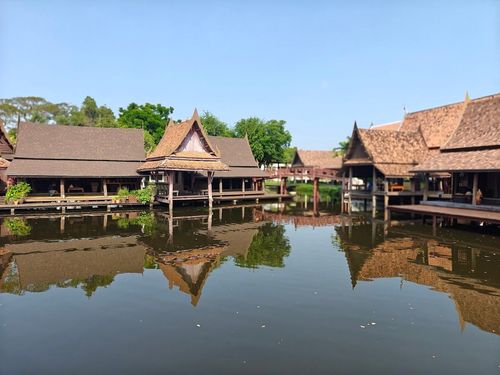
Thailand Tour & Travel
Services
A services near Khao San Road.
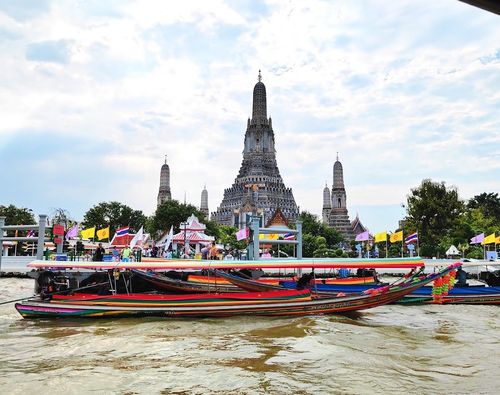
Chao Phraya Tourist Boat ICONSIAM Pier
Services
Hop on the blue‑flag tourist boat at ICONSIAM to cruise Wat Arun, Wat Pho, the Grand Palace and Chinatown. Day pass ~150 THB, boats every ~30 mins, last runs around 7:15pm. Easiest river launchpad via BTS Gold Line to Charoen Nakhon.
ICONSIAM
Shops
Riverfront mega-mall with SOOKSIAM’s indoor floating market, an evening fountain show on the promenade, and a riverside Apple Store with terrace views. Easy boat hop from Saphan Taksin; snacks from 50 THB, open daily 10am–10pm.
Recommended Products
More Khao San Road Guides
- Backpacker Packing List for Thailand’s Work-Trip Side Hustles: Laptop, Documents, and Day-to-Day Carry
- What to Pack for Thailand for a Work-and-Travel Backpacking Trip: Laptop, Chargers, and Everyday Organization
- What to Pack for Thailand for Digital Nomad Backpackers: Work Gear, Adapters, and Hostel Office Setup
- What to Pack for Thailand for Digital Nomads and Remote Work Trips